How ViaCRM Works
Follow one influencer campaign from brief to payout, in seven steps.
Creators
Step 1
Create the campaign
Everything for the campaign lives in one place.
- ➤Set the brief, deliverables, timeline and budget
- ➤Manage every KOL in the campaign: status, deliverables and payments
- ➤Your whole team works in the same campaign
Step 2
Shortlist influencers
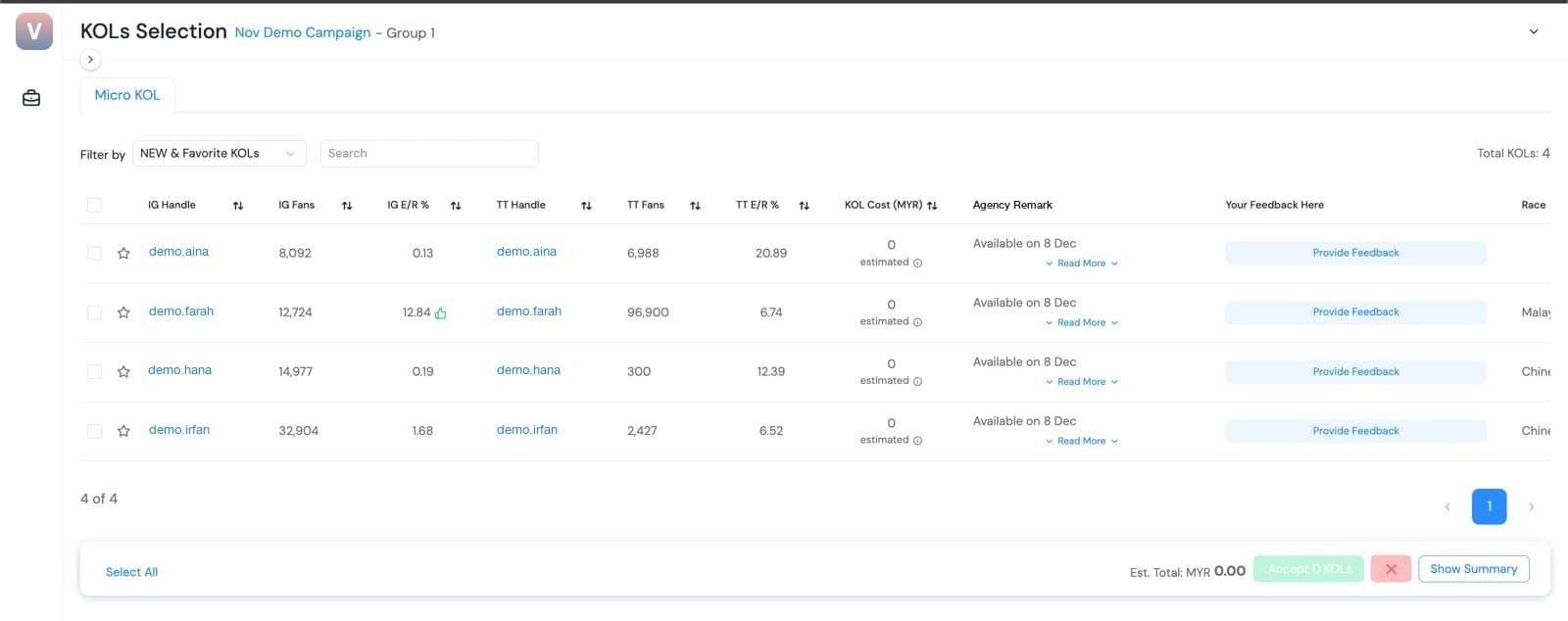
Search your own influencer list, then let your client choose.
- ➤Filter by keyword, niche, audience size, platform and location
- ➤See each influencer's rates and history next to the shortlist
- ➤Your client gives feedback and accepts KOLs in their own login
Step 3
Brief influencers on WhatsApp
Reach influencers where they already are.
- ➤Message influencers one by one or all at once on WhatsApp
- ➤Influencers get their own free login to see briefs, submit drafts and track payments
- ➤AI agents answer routine questions 24/7, in multiple languages

Reviews
Step 4
Review drafts
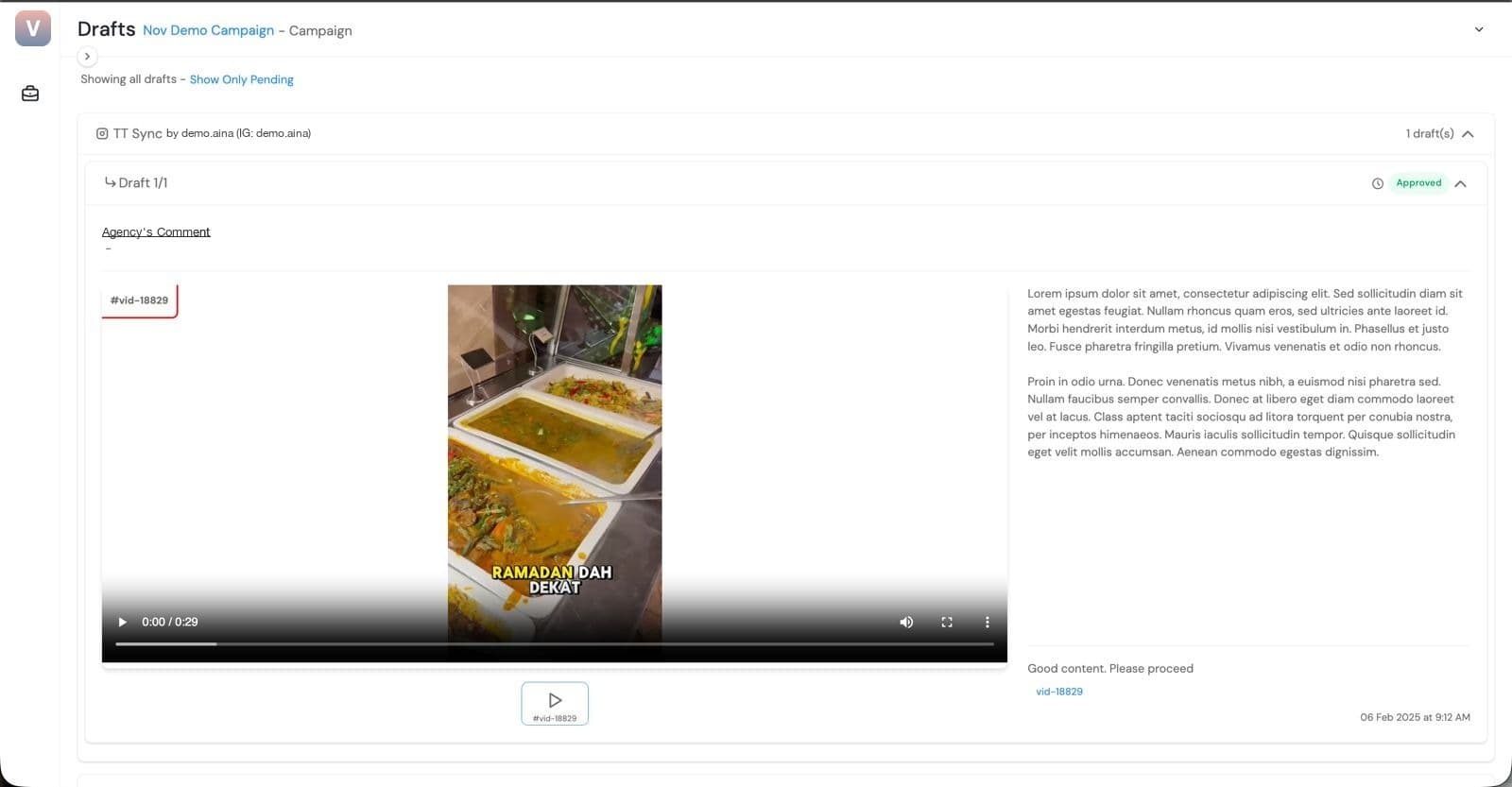
Project manager first, then approver. No downloads, no Drive links.
- ➤Upload a draft with one click and watch it inside ViaCRM
- ➤AI checks spelling, captions, profanity, religious sensitivities and banned words
- ➤Your project manager approves first, then the approver (your client or a higher-up) signs off in their own login, with every approval timestamped
Step 5
Track postings
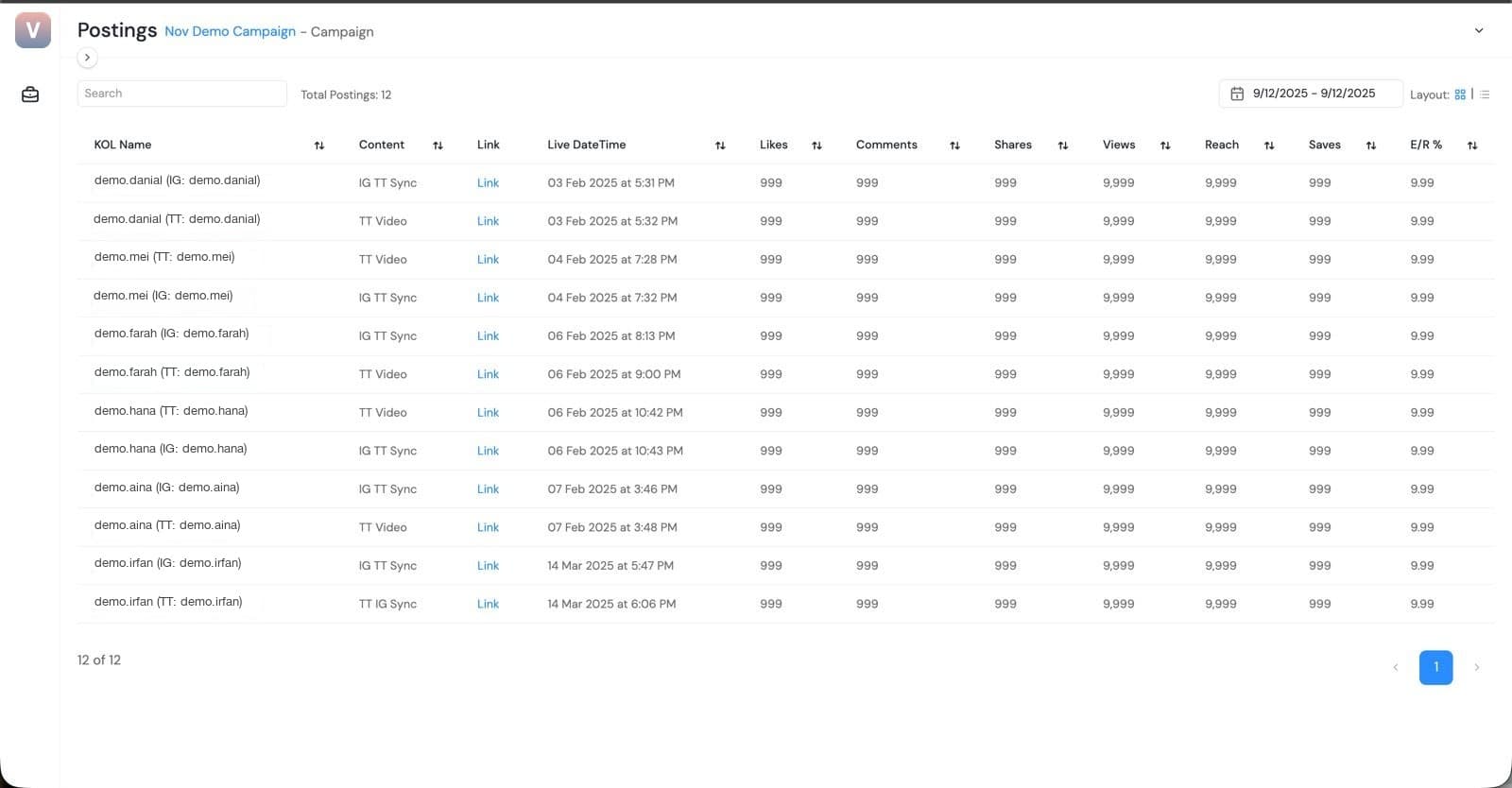
Every post in one place, updated automatically.
- ➤Add the posting link once
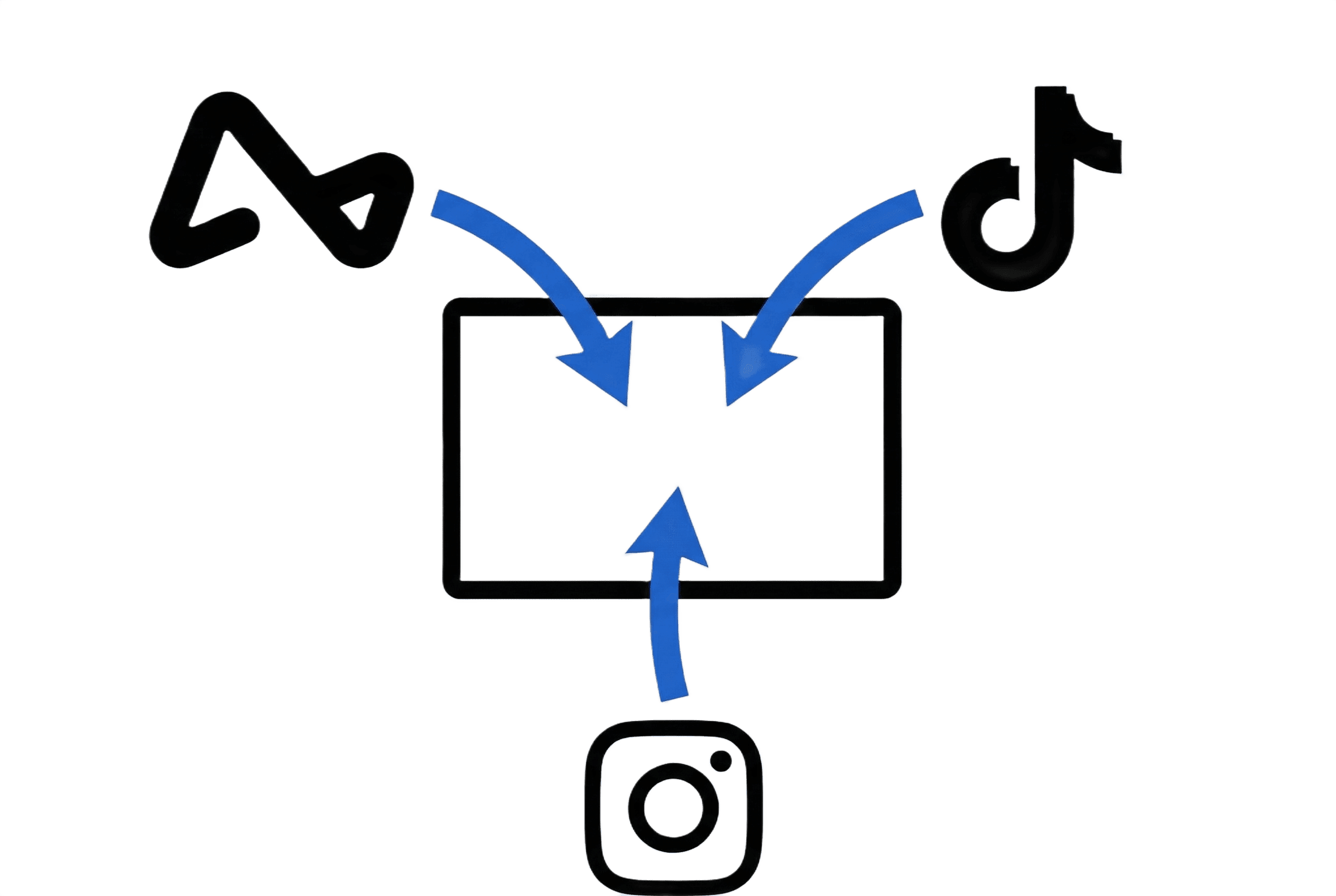
- ➤Views, likes, comments, shares and reach pulled from Instagram and TikTok, updated weekly
- ➤All postings for the campaign on one page
Step 6
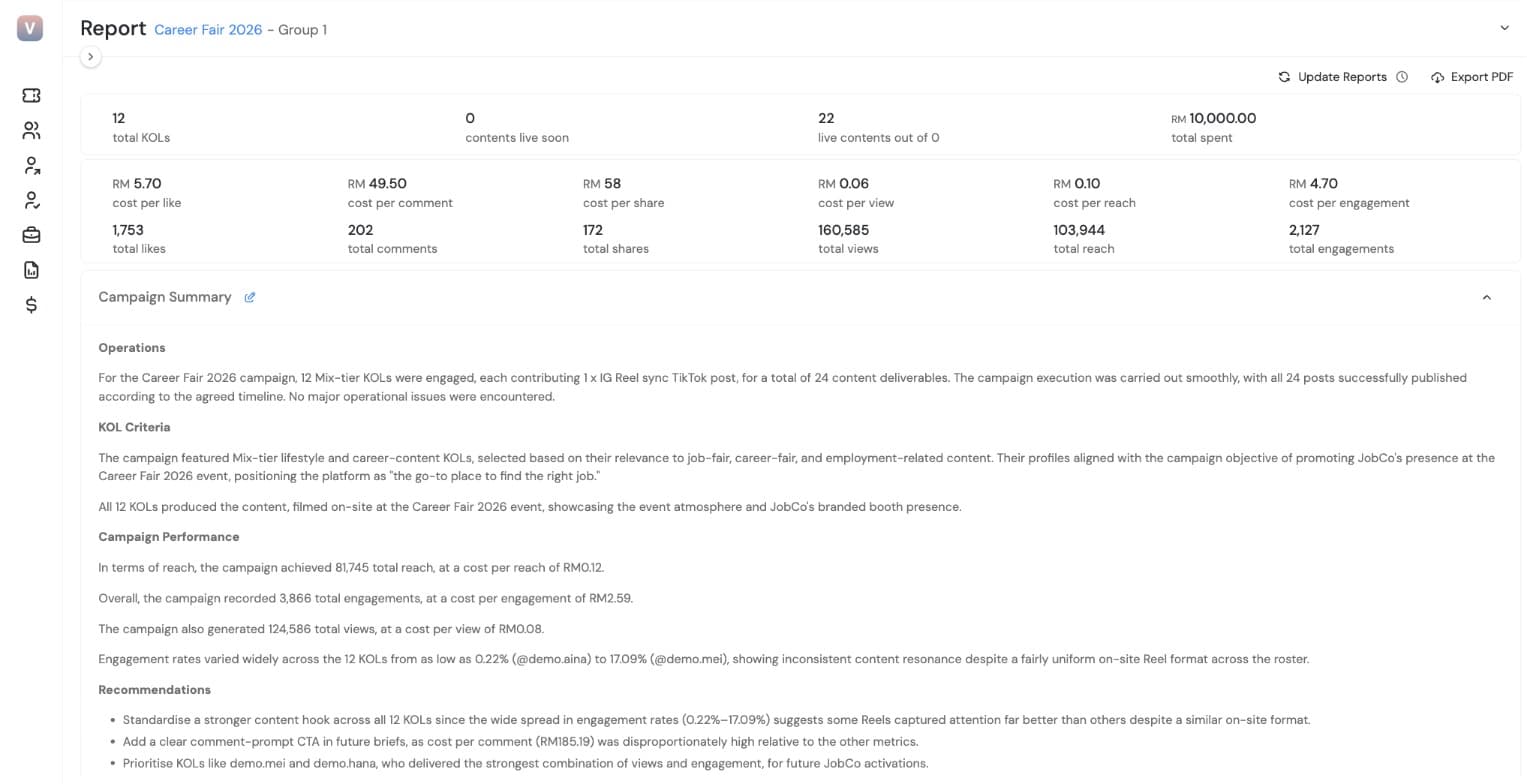
Send the report
A client-ready report, without the data crunching.
- ➤Cost per view, per engagement and per reach calculated for you
- ➤Add your campaign summary and recommendations
- ➤Clients view the report in their own login, or you export it as a PDF
Money
Step 7
Pay everyone
One vendor registration, not fifty.
- ➤Deposit once into ViaCRM
- ➤Click release payment when the work is done
- ➤Influencers withdraw through Airwallex
Extra fees apply for foreign influencer payouts.
What happens after you sign up: onboarding
We set you up, train your team and help you launch your first brief. Most teams are ready within one to two weeks; WhatsApp approval usually sets the pace.
Send us one spreadsheet
List every social media account, creator and advocate you work with: name, email, WhatsApp number and social media username. We'll send you a template and upload everything in one go.
Connect WhatsApp
Sign up for your own WhatsApp Business API number with Meta (at least a week; we'll guide you, but your company has to apply), or start straight away with ViaCRM's number.
1-hour training for your project managers
A live walkthrough of every part of ViaCRM: campaigns, briefs, approvals, reports and payouts. Join our group webinars any time after.
Your first brief, together
We share best practices and help you write your first brief for your creators or advocates.
Videos for your creators and advocates
Short how-to videos they can watch at their own pace: logging in, uploading drafts and getting paid.
Support whenever you need it
Everyone who uses ViaCRM, from project managers and approvers to creators and advocates, can email us any time. Growth adds WhatsApp support, and Enterprise gets a dedicated contact from our team.
Who's who in ViaCRM: project managers brief, review and report; approvers (a client or a higher-up) give the final sign-off; creators are the influencers and KOLs you work with; and advocates are your own people and fans: employees, agents, dealers, outlets and customers.
Ready to Run Your First Campaign?
The first campaign for each brand is free.
