Employee-generated content (EGC) is any photo, video or post made by your own staff about their work, your products or your company. You get more of it by asking for specific formats, making filming easy, getting permission in writing, approving drafts quickly and thanking people every time.
Most companies already have plenty of it sitting on staff phones: the barista's latte art, the technician's before-and-after, the sales team's launch-day photos. This guide covers what counts as EGC, which formats work, how to get the rights to reuse it in ads, and how to keep quality and approvals under control.
EGC vs UGC vs influencer content
The three get mixed up, but they come from different people and need different handling.
Employee-generated content
User-generated content (UGC)
Influencer content
Who makes it
Your staff, agents or outlet teams
Customers and fans
Creators you brief and usually pay
Why people trust it
Insider knowledge, real faces
Real buyers, real opinions
The creator's relationship with their audience
How much control you have
High: you can brief and approve
Low: you find it and ask to reuse
Medium: agreed in the brief and contract
Main risk
Confidential info, wrong prices or claims
Using it without permission
Off-brief posts, missing disclosure
Best for
Behind the scenes, expertise, hiring
Reviews and social proof
Reach into new audiences
You don't have to choose one. Many brands run all three. EGC is simply the one you can start tomorrow, because the people are already on your payroll and already know the product.
Why employee content works
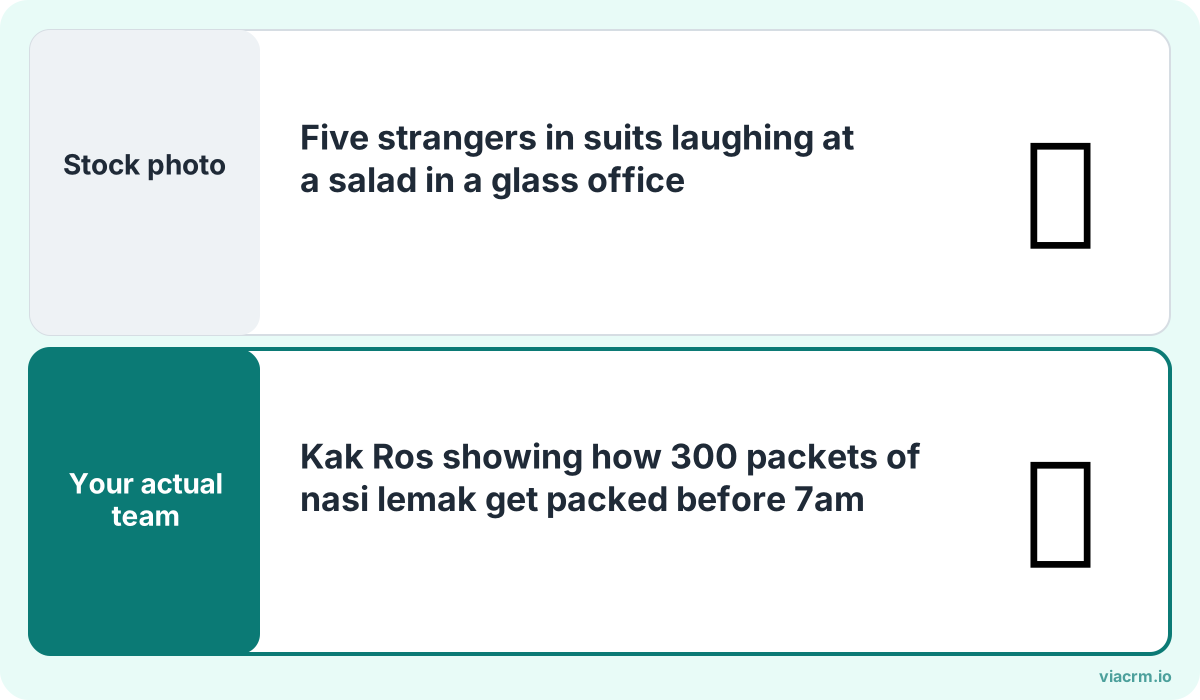
Real people doing real work beat stock photos every time.
People trust people more than logos. A short video of your service advisor explaining what really happens during a car service feels more honest than a polished ad, because it is.
EGC also fills the content calendar. A marketing team of three can't film every outlet, every branch and every project. Two hundred staff with phones can, if you give them a reason and a little direction.
And it helps hiring. Candidates look up companies on TikTok, Instagram and LinkedIn before they apply. Real colleagues talking about real days at work answer the questions a careers page can't.
Formats that work (and are easy to film)
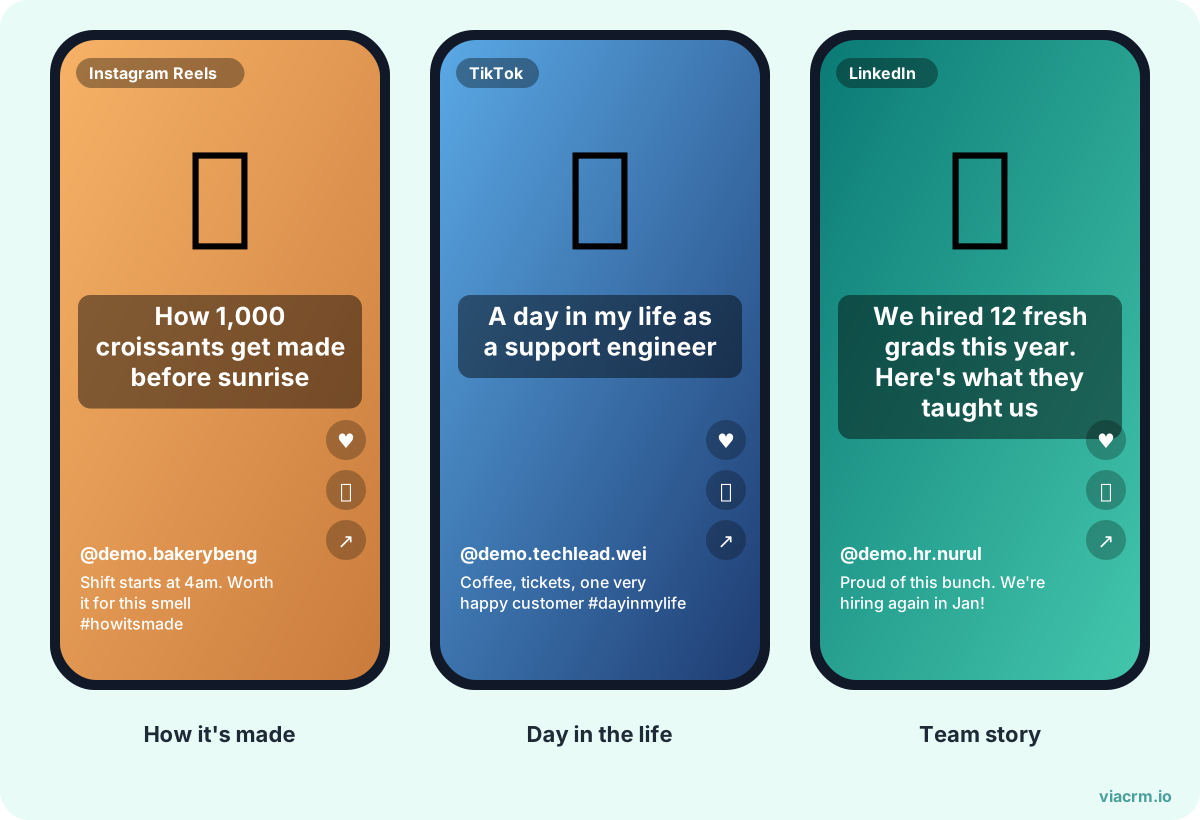
Three easy formats: how it's made, day in the life, team stories.
Don't ask staff to "make content". Ask for a specific format. These work well across Malaysian brands and need nothing more than a phone:
Behind the scenes. Opening the outlet, packing orders, setting up an event booth, the kitchen before the lunch rush.
Day in the life. A 30-second walk through a shift: a nurse, a site engineer, a showroom sales advisor, a customer service lead.
How it's made. Products being assembled, food being prepared, a property being finished, a design going from sketch to sample.
Tips and explainers. One useful thing a customer should know, said by the person who knows it best. "Three things to check before you sign a tenancy" or "How to store kaya so it lasts".
Customer questions answered. Take the question your team hears most this week and film the answer.
Team moments. Hari Raya open houses, Chinese New Year lou sang, Deepavali decorations, a farewell lunch. Keep it genuine and inclusive.
New joiner welcomes and work anniversaries. Simple, warm, and good for employer branding on LinkedIn.
Pick two or three formats a month and say which platform each is for. A day-in-the-life fits TikTok and Instagram Reels; a project milestone fits LinkedIn; a recipe tip fits Xiaohongshu (RED) if your audience is there.
Permission and usage rights: get them before you reuse
Posting from a staff member's own account is one thing. Taking that video and running it as a paid ad on your company page is another. Get clear, written permission before you reuse anything, and be specific.
Ask in writing. A short consent form or a reply in your approval tool is enough for most cases. A WhatsApp "ok can" is easy to lose.
Say where it will be used. Organic posts on company pages, paid ads, website, printed materials, outdoor.
Say for how long. For example, 12 months from first use, or for the duration of a named campaign.
Agree what happens if they leave. Many companies stop new ad spend on that content when someone leaves, even if the licence allows more. Decide and write it down.
Check everyone in the frame. Colleagues and customers who appear also need to agree. Blur or crop anyone who hasn't.
Agree on credit. Some staff want their name or handle tagged; others prefer not. Ask.
A simple consent line might read:
I agree that [Company] may use my video [title/link] on its social media pages, website and paid advertising for 12 months from [date]. I confirm everyone who appears has agreed to be filmed. I can ask for it to be removed from future ads at any time.
Photos and videos that show faces are personal data, so handle them in line with the Personal Data Protection Act 2010 and your own privacy notice. Have your HR or legal adviser look over your consent wording once; then reuse it for every request.
Quality tips for filming on a phone
Staff don't need a studio. They need five habits:
Film vertical for TikTok, Reels and Stories; horizontal only for YouTube or a website banner.
Face the light. Stand facing a window, not with it behind you. Avoid overhead fluorescent light on faces where possible.
Get close for sound. Phone microphones pick up air-conditioning and traffic. Film near the speaker, or use an affordable clip-on mic.
Clean the lens. It sounds obvious. It fixes more blurry videos than any app.
Hold still for the first two seconds. The opening frame is what people decide on. Steady it with two hands or lean on a wall.
Keep it short. 15 to 45 seconds is plenty for most formats. Cut anything that isn't needed.
Run a 30-minute filming session once a quarter. Show three good examples from your own team. Most people improve quickly once they see what good looks like from colleagues, not from professional creators.
Approve before it goes live
EGC is only an asset if it doesn't create problems. Most mistakes are small but costly: an old price, a promotion that has ended, a whiteboard with client names in the background, a claim legal hasn't cleared.
Share a short brief with the formats, key messages, hashtags, any words to avoid and any disclaimer that must appear.
Collect drafts in one place, not across ten WhatsApp chats.
Check the basics: facts, prices, background details, people in frame, music.
Approve or comment within 48 hours. Slow approvals kill enthusiasm faster than anything.
Record who approved what and when, so you can answer questions later.
If you have a handful of staff posting, a shared folder and a checklist will do. Once you have dozens of people across branches or outlets, the admin becomes the bottleneck. ViaCRM was built to run influencer campaigns, and the same workflow suits staff, agents and outlets:
Briefs with objectives, deliverables, draft and posting dates, restricted keywords, terms and disclaimers, and sample content.
Drafts uploaded and watched inside ViaCRM, with comments and two-layer approval: a project manager reviews first, then an approver signs off. Every approval is timestamped.
An AI draft checker that flags spelling, captions, profanity, religious sensitivities and banned words before your team reviews. It doesn't judge creativity or music rights; people still do that.
One report of every post. Instagram and TikTok results are pulled automatically and updated weekly.
Personal tracking links for each person, so you can see which posts bring in clicks, not just views.
Each person counts as one active participant, users are unlimited, and networks of 150 or more people are on Enterprise.
Start small, then keep what works
Pick one team, two formats and one month. Brief them, help them film, approve quickly and say thank you in public. Then look at which videos people actually watched and do more of those.
Employee-generated content is any photo, video or post made by your own staff about their work, your products or your company. Common examples are behind-the-scenes clips, day-in-the-life videos and expert tips. It is usually posted on the employee's own account and can be reused by the company with permission.
What is the difference between EGC and UGC?
EGC is made by your employees; UGC is made by customers and fans. You can brief and approve employee content, while UGC is found after the fact and needs the creator's permission before you reuse it.
Can a company use employee videos in paid ads?
Yes, with clear written permission that says where the content will be used, for how long and what happens if the employee leaves. Everyone who appears in the video should agree too. Have your HR or legal adviser review your consent wording.
How do I get employees to create content?
Ask for specific formats rather than "content", give a short brief, offer a quick filming session, approve drafts within a couple of days and recognise people who take part. Keep it voluntary and reward approved posts.
Turn staff content into a programme
Brief, approve and report on content from your employees, agents and outlets in one place. Tell us about your team on WhatsApp.
How to get staff to make TikTok videos for your company: picking volunteers, 10 video ideas by industry, filming kit, CapCut, hooks, music rules and approval.
How to plan and run an employee advocacy programme in Malaysia: goals and KPIs, roles, a 90-day launch plan, policy, rewards, measurement and partner networks.
A social media policy for employees in Malaysia, with a free template to copy: personal vs official accounts, confidential info, PDPA, approvals and rewards.