To get your staff making TikTok videos, start with a few volunteers, give them specific video ideas rather than a vague request, keep the kit simple and approve drafts before they go live. Use only music that is cleared for business use, and thank people every time they post.
The good news: the best company TikToks are rarely polished. They're a real person, a real place and one useful or funny idea. This guide covers who to ask, what to film for your industry, how to film and edit on a phone, and the two things that trip companies up: music and approvals.
Start with volunteers, not a roster
Forcing people onto camera shows on camera. Instead, find the five to ten people who already enjoy it. Every company has them: the outlet supervisor who films the team's lunch, the sales advisor who already posts property tours, the intern who edits on CapCut for fun.
Ask openly. Post a short message in your staff group: you're starting a TikTok project, it's voluntary, and you'll provide ideas, help and a small thank-you.
Look beyond marketing. Front-line staff often make the most watchable videos because they deal with customers every day.
Mix on-camera and off-camera roles. Some people love being filmed; others prefer to film, edit or come up with ideas.
Agree the basics up front. What they can show, what they can't, how approval works and how they'll be thanked.
Keep it voluntary and say so. No one's job should depend on their willingness to dance on TikTok.
10 TikTok video ideas by industry
One idea per industry. Each one answers a question customers already ask.
Give people a format, not a blank page. These work with a phone and a few minutes:
Industry
Video idea
Why it works
F&B outlets
Opening prep in 30 seconds: from lights on to first order
Satisfying, behind the scenes, shows hygiene and care
F&B outlets
Staff pick: what the team actually orders on their break
Personal and helps undecided customers choose
Retail
Three ways to style one item, filmed in-store
Useful, shows range, easy to repeat weekly
Retail
New stock unboxing on delivery day
Creates a reason to visit this week
Car showrooms
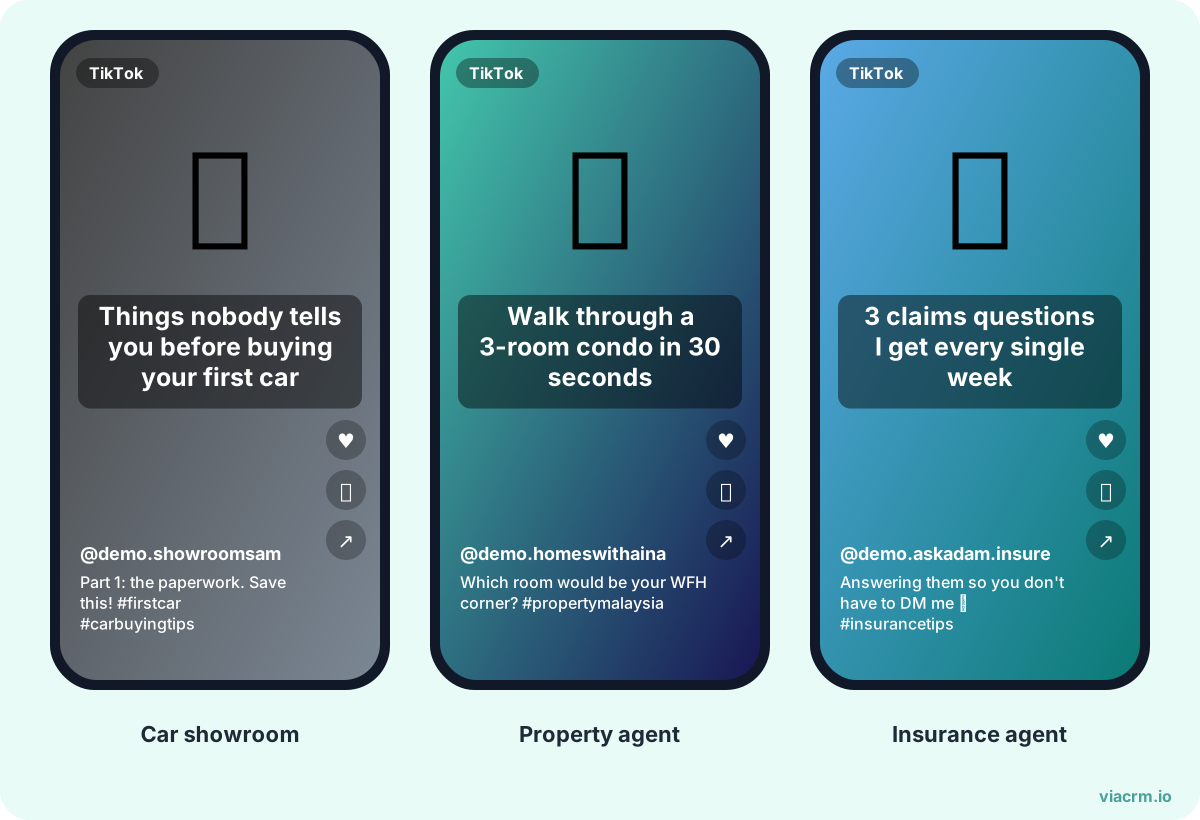
Features most owners never use, explained by a sales advisor
Helpful for buyers and current owners
Car showrooms
What happens during a service, from the workshop floor
Builds trust in after-sales
Property
Walkthrough of a show unit with one honest tip per room
Real voice, real space (check advertising rules first)
Insurance and takaful
Common claim questions, answered in plain language
Educational, not salesy (check what agents may say first)
Offices
A day in the life of a role you're hiring for
Employer branding that candidates actually watch
Offices
Myth vs fact about your industry, by an in-house expert
Positions your team as people who know their stuff
A recent smartphone is enough. If you want to spend a little, these make the biggest difference, in this order:
A clip-on wireless microphone. Clear sound matters more than sharp video, especially in noisy outlets and showrooms.
A small tripod or phone clamp. Steady shots and hands-free filming for one-person videos.
A small LED light. Useful in dim offices and evening shoots.
Buy one set per branch or outlet and let people book it, rather than buying for everyone.
CapCut in five steps
CapCut is a free editing app widely used for TikTok. A simple workflow:
Import your clips and trim the start: cut any "ok, start already?" moments.
Cut to the good parts. Split clips and delete pauses. Most good TikToks change shot every few seconds.
Add captions. Use auto-captions, then fix spelling, names and Bahasa or Manglish words the app gets wrong. Many people watch with sound off.
Add a text hook on the first frame so viewers know what the video is about.
Export in vertical 9:16 and post from TikTok so you can pick music there (see the music section below).
Hooks: the first two seconds
Put the hook on screen as text too. Many people watch on mute.
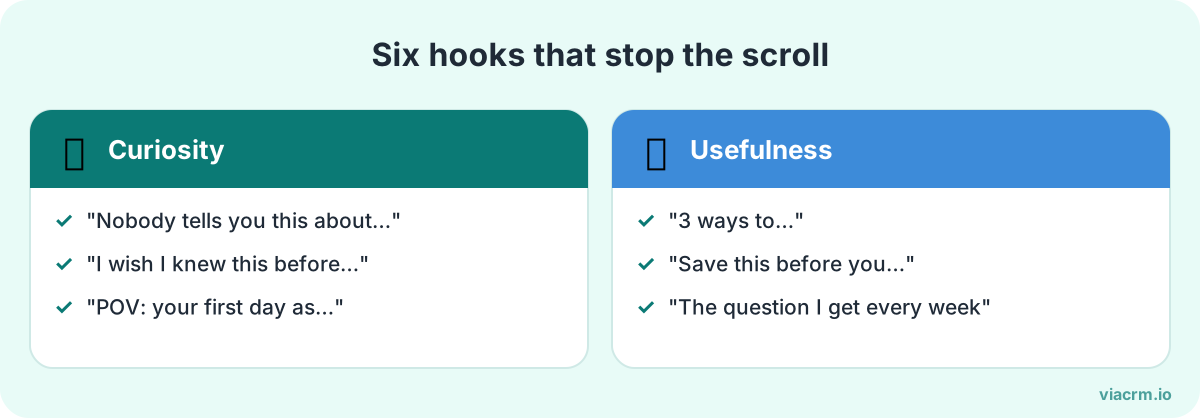
On TikTok, people decide almost instantly whether to keep watching. Open with the most interesting thing, not a greeting. Hooks staff can adapt:
"Things customers never notice in our kitchen..."
"I've sold cars for six years. Here's the one feature people always ask about."
"Three questions to ask before you sign for a condo."
"POV: it's your first day at [company]."
"Don't throw this away. Here's what it's actually for."
Say the hook out loud and put it on screen as text. Then deliver on the promise quickly. A hook that oversells the video loses viewers and trust.
Personal account or company account?
Both work, for different reasons:
Staff's personal account
Company account
Reach
Their own followers plus the For You feed
Your followers plus the For You feed
Trust
Feels personal and genuine
Clearly official
Control
The staff member owns the account and the video
You own the account and the archive
When they leave
The content usually leaves with them
The content stays
Best for
Day in the life, personal tips, team culture
Product, promotions, official announcements
Many companies do both: staff post on their own accounts, and the company account reposts or features the best videos with permission. If you plan to use a staff video in paid ads, get written permission first. Our guide to employee-generated content covers usage rights.
Ask staff to make it clear they work for you, for example in their bio or with a simple line in the caption, so viewers aren't misled.
Music: use the Commercial Music Library
This is where well-meaning company TikToks go wrong. Trending songs in TikTok's general library are not cleared for business use. TikTok's own help centre says businesses should use the Commercial Music Library for commercial activity on TikTok, including organic posts.
On a personal account, staff can choose Commercial Sounds from the Sounds menu. For videos that promote your company, ask them to use those.
Original audio (their own voice, outlet sounds) is usually the safest option, and often performs well anyway.
Other people's original sounds or outside licensed tracks need care. TikTok advises checking with your legal team before using them commercially.
Music rules change, so check TikTok's current help pages and your own legal team's advice rather than relying on what worked last year.
Approve before posting
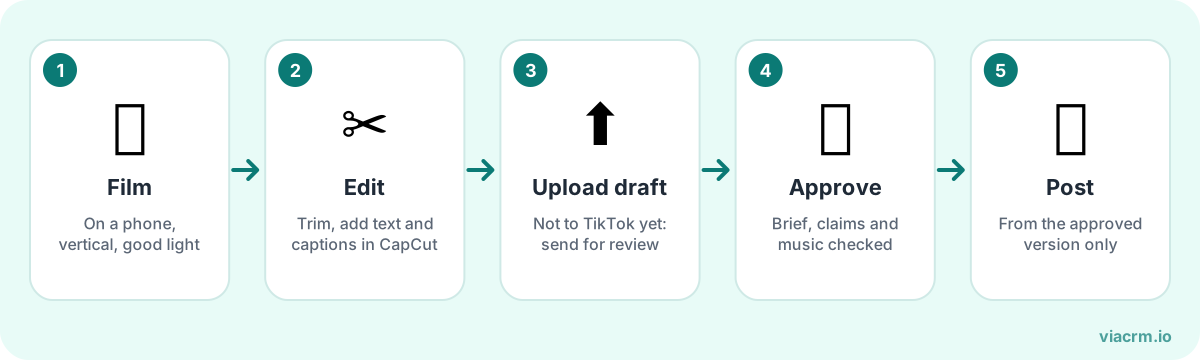
Post only the approved version, so nothing goes live by accident.
A quick check before a video goes live protects your staff as much as your brand. Look for:
Facts and prices: current, correct, and allowed to be shared publicly.
Backgrounds: customer details on screens, documents on desks, other people who didn't agree to be filmed.
Claims: nothing your legal or compliance team hasn't approved, especially in regulated industries.
Music: from the Commercial Music Library or original audio.
Tone: nothing that could offend on race, religion or culture.
Agree a turnaround time, ideally within one working day. TikTok rewards timely videos, and staff lose interest if drafts sit for a week. Put the rules in a short social media policy so everyone knows them before they film.
Where ViaCRM fits
Once more than a handful of people are filming across outlets or branches, approvals and tracking take over someone's week. ViaCRM was built to run influencer campaigns, and the same workflow suits staff, agents and outlets:
Briefs with video ideas, posting dates, restricted keywords, required disclaimers and sample content.
Drafts uploaded and watched inside ViaCRM, with comments and two-layer approval: a project manager reviews first, then an approver signs off. Every approval is timestamped.
An AI draft checker that flags spelling, captions, profanity, religious sensitivities and banned words. It doesn't check music copyright or judge how engaging a video is, so keep the music check in your human review.
TikTok and Instagram results pulled automatically and updated weekly, in one report.
Personal tracking links for each person, so you can see which posts bring in clicks, not just views.
See how it works. Each person counts as one active participant, and networks of 150 or more people are on Enterprise.
Frequently asked questions
Can employees use trending songs in company TikTok videos?
Usually not for commercial content. TikTok says businesses should use its Commercial Music Library for commercial activity, including organic posts. Original audio is a safe alternative. Check TikTok's current help pages and your legal team's advice.
Should staff post TikToks on their own account or the company account?
Both work. Personal accounts feel more genuine and reach the employee's own followers; the company account keeps the content when people leave. Many companies let staff post personally and feature the best videos on the company account with permission.
What equipment do staff need to make TikTok videos?
A recent smartphone is enough. A clip-on wireless microphone, a small tripod and a small light make the biggest difference. CapCut is a free app many people use to edit.
Should I pay employees to make TikTok videos?
Many companies give a small reward for each approved video and a bonus for the best ones. Keep it voluntary, and check with your HR or tax adviser how to handle rewards to employees.
Approve every staff video before it goes live
Brief your team, review drafts and see TikTok results in one place with ViaCRM.
How to encourage employees to post on social media: why staff hold back, a 7-step plan that makes posting safe and easy, content ideas, and mistakes to avoid.
Ideas to reward employees for posting about your company on social media: what to reward, what to give, how to keep it fair and run it without spreadsheets.