To encourage employees to post on social media, make it easy, safe and worth their while: ask for volunteers, give them a short brief with ideas, check drafts before they go live, and thank people publicly when they post. Most staff aren't against posting. They just don't know what to say, worry about getting it wrong, or feel nobody notices.
This guide covers why employees hold back, a step-by-step plan that fixes each reason, content ideas your team can actually make on a phone, and the mistakes that quietly kill participation.
Why employees don't post about work
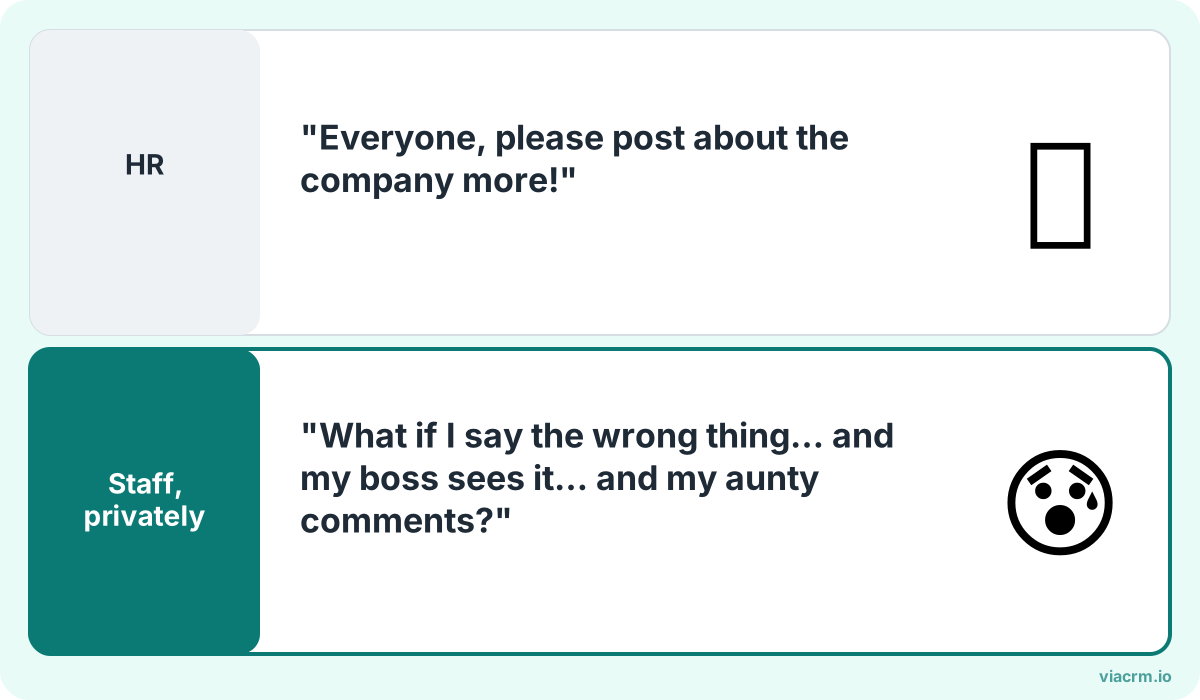
Fear, not laziness, is the usual blocker. A clear brief and approval fix most of it.
Before you plan anything, it helps to understand the silence. When HR and marketing teams in Malaysia ask staff why they don't post, the answers usually fall into four groups:
Fear. "What if I say something wrong and get scolded?" People worry about wrong prices, confidential details, or a post that upsets a customer or their boss.
No ideas. "What would I even post?" Most staff don't think their day-to-day work is interesting. It usually is.
No time. Filming, editing and writing a caption feels like a second job, especially for outlet and frontline teams.
No recognition. They posted once, nobody said anything, so they stopped.
Notice that none of these is "I don't like the company". Fix the four blockers and most of the resistance goes away.
A 7-step plan to get employees posting
Each step below answers one of the blockers. Do them in order; skipping the early ones is why many programmes stall.
Ask, don't tell. Invite volunteers with a short message from a leader explaining why it matters. Ten keen people beat a hundred reluctant ones.
Brief them. Give a one-page brief: the topic, two or three example angles, what to mention, what not to say, and the hashtags or tags to use. A brief turns "what do I post?" into a choice between ideas.
Make it safe. Share a short social media policy in plain language. Say clearly what's off-limits (prices not yet announced, customer details, confidential projects) and that everything else is fine.
Approve before posting. Offer to check drafts before they go live. This is the single biggest fear-reducer: if marketing has approved it, the employee can't get in trouble for it.
Recognise. Comment on, share and celebrate posts quickly. A shout-out in the company WhatsApp group or a comment from the CEO costs nothing.
Show results. Once a month, share what the posts achieved: views, comments, enquiries, new hires who mentioned seeing a post. People keep going when they see it worked.
Content ideas staff can actually make
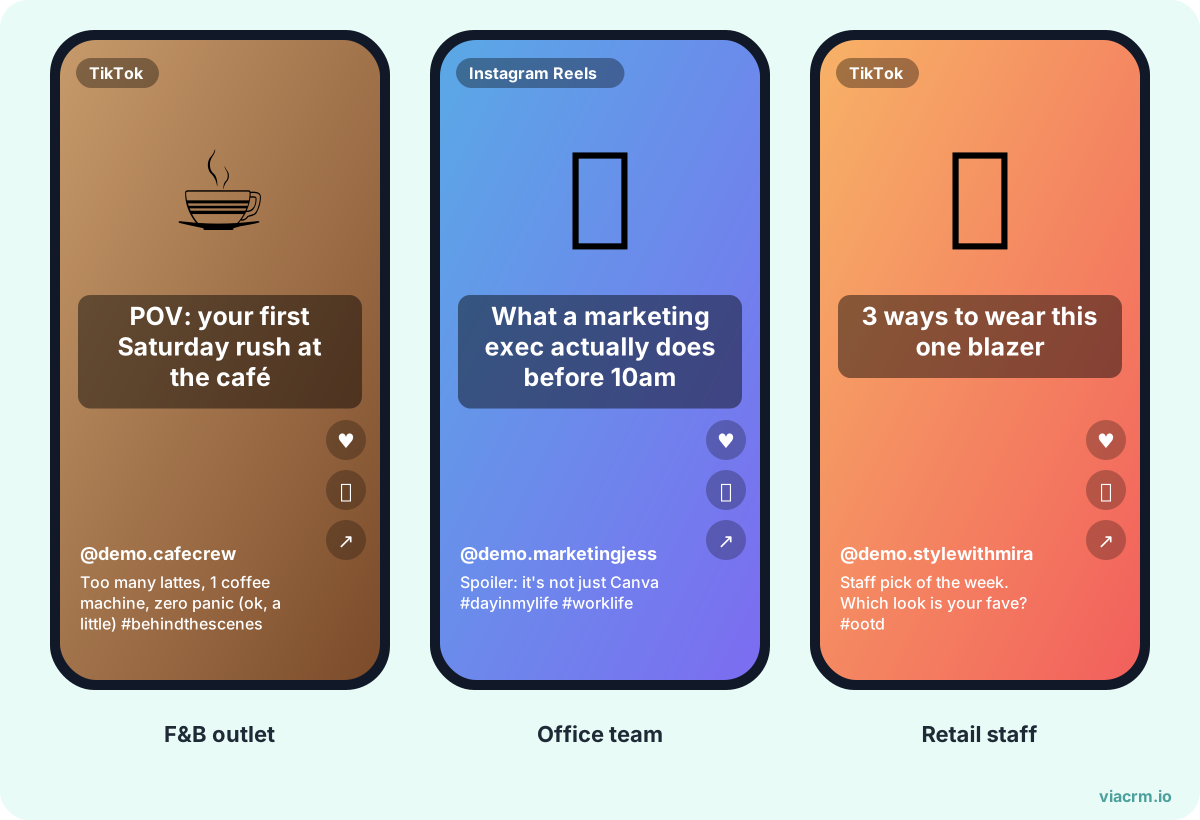
Example posts staff can film on a phone in under 10 minutes.
The best employee posts are things only an insider can show. None of these need a studio or editing skills, just a phone and a few minutes:
Idea
Best for
Platform
A day in my role
Any team
TikTok, Instagram Reels
Behind the scenes of a launch or event
Marketing, events, operations
Instagram Stories, TikTok
One tip customers always ask about
Sales, outlet, support staff
TikTok, Facebook
Unboxing or first look at a new product
Retail, F&B, outlet staff
TikTok, Xiaohongshu (RED)
What I learned this year at work
Managers, specialists
LinkedIn
Team celebration: Raya open house, CNY lunch, Deepavali
Everyone
Instagram, Facebook
We're hiring: why I joined
Any team
LinkedIn, TikTok
Answering a common customer question
Sales, agents, dealers
TikTok, WhatsApp Status
Give people permission to post in the language they normally use with friends, whether that's English, Bahasa Malaysia, Mandarin, Tamil or a natural mix. Real voices are the point.
Some well-meant tactics make things worse. Avoid these:
Mandating posts. Making posting compulsory, or linking it to appraisals, turns a favour into a chore. Staff post grudgingly and their followers can tell. Keep it voluntary.
Scripted posts. Sending everyone the same caption to copy and paste makes your brand look like it's running a bot network. Give angles and key points, not word-for-word scripts.
Only asking for shares. Re-sharing the company post is easy, but it rarely feels personal. Encourage people to add their own view or make their own content.
Rejecting posts after they're live. Asking someone to delete a post they're proud of is embarrassing. Approve first, so this never happens.
Rewarding follower count. It favours the few who are already popular and discourages everyone else.
Going quiet after launch. A burst of posts in week one followed by silence tells staff it was a one-off campaign, not a habit.
Make posting a habit, not a campaign
Participation usually peaks in the first month and then drops. To keep it going:
Set a rhythm. One new brief a month, sent on the same day, so people know when to expect it.
Rotate themes. Product one month, people the next, then a festive or seasonal theme. Malaysia's calendar gives you plenty: Hari Raya, Chinese New Year, Deepavali, Merdeka and Christmas.
Spotlight new faces. Celebrate first-time posters, not just the usual stars.
Ask for feedback. A quick poll every quarter: what's hard, what would help, which rewards they actually want.
Train the keen ones. A short session on filming, lighting and hooks lifts quality across the whole team.
If you want a structure for all of this, our practical guide to running an employee advocacy programme covers goals, roles and a 90-day launch plan.
Where ViaCRM fits
Steps two, four and seven (brief, approve, show results) are where most programmes drown in admin. Someone has to send the brief, chase drafts on WhatsApp, check every video, collect the links and count views.
ViaCRM was built to run influencer campaigns, and the same workflow suits employees, agents, dealers and outlets:
One brief for everyone, with deliverables, posting dates, restricted keywords, required disclaimers and sample content.
Drafts reviewed before posting. Staff upload drafts, your project manager comments and approves first, then an approver can give the final sign-off. Every approval is timestamped. An AI checker flags spelling, profanity, religious sensitivities and banned words first.
Updates on WhatsApp, so staff don't need to learn a new app to know their draft was approved.
Results in one report. Instagram and TikTok results update automatically each week; Facebook and RED posts can be added manually.
Personal tracking links for each person, so you can see which posts bring in clicks, not just views.
Every plan has unlimited users and each person counts as one active participant. See pricing for plans.
Frequently asked questions
How do I get employees to share company posts on social media?
Ask for volunteers rather than making it compulsory, give them a short brief with ideas, and make it safe by approving drafts before they go live. Then recognise people quickly when they post. Encourage them to add their own view instead of only re-sharing the company post.
Should posting on social media be mandatory for employees?
No. Mandatory posting usually produces reluctant, copy-paste posts that audiences ignore, and it can make staff feel their job depends on their personal accounts. Keep it voluntary and make it rewarding instead.
What should employees post about their company?
Things only insiders can show: a day in their role, behind the scenes of a launch, a tip customers often ask about, team celebrations, or why they joined. Short, honest phone videos usually work better than polished ones.
How do I stop employees posting something wrong?
Share a short, plain-language social media policy and review drafts before they're posted. A simple approval step protects both the company and the employee, and it's the biggest thing that makes nervous staff willing to try.
Brief, approve and celebrate your team's posts
Run your employee posting programme in one place with ViaCRM, from brief to approval to results.
Ideas to reward employees for posting about your company on social media: what to reward, what to give, how to keep it fair and run it without spreadsheets.
How to plan and run an employee advocacy programme in Malaysia: goals and KPIs, roles, a 90-day launch plan, policy, rewards, measurement and partner networks.
How to get staff to make TikTok videos for your company: picking volunteers, 10 video ideas by industry, filming kit, CapCut, hooks, music rules and approval.